Soon we will be launching a new way for you to learn what’s new in Flexmls: a notification center thatÕs built right into your Flexmls experience! The Flexmls notification center will ensure you receive Flexmls news where itÕs fastest, easiest and most convenient: in your daily workflow. While we will still use emails to communicate about new features, we hope that the new notification center will result in fewer emails from us in your inbox overall. Check out the video below to learn more– we hope you love it!
When will it change?
This update will be available on October 7, 2021.
What will change?
When logged into Flexmls, users will now be able to access the in-app notification center through a bell icon in the upper right corner.
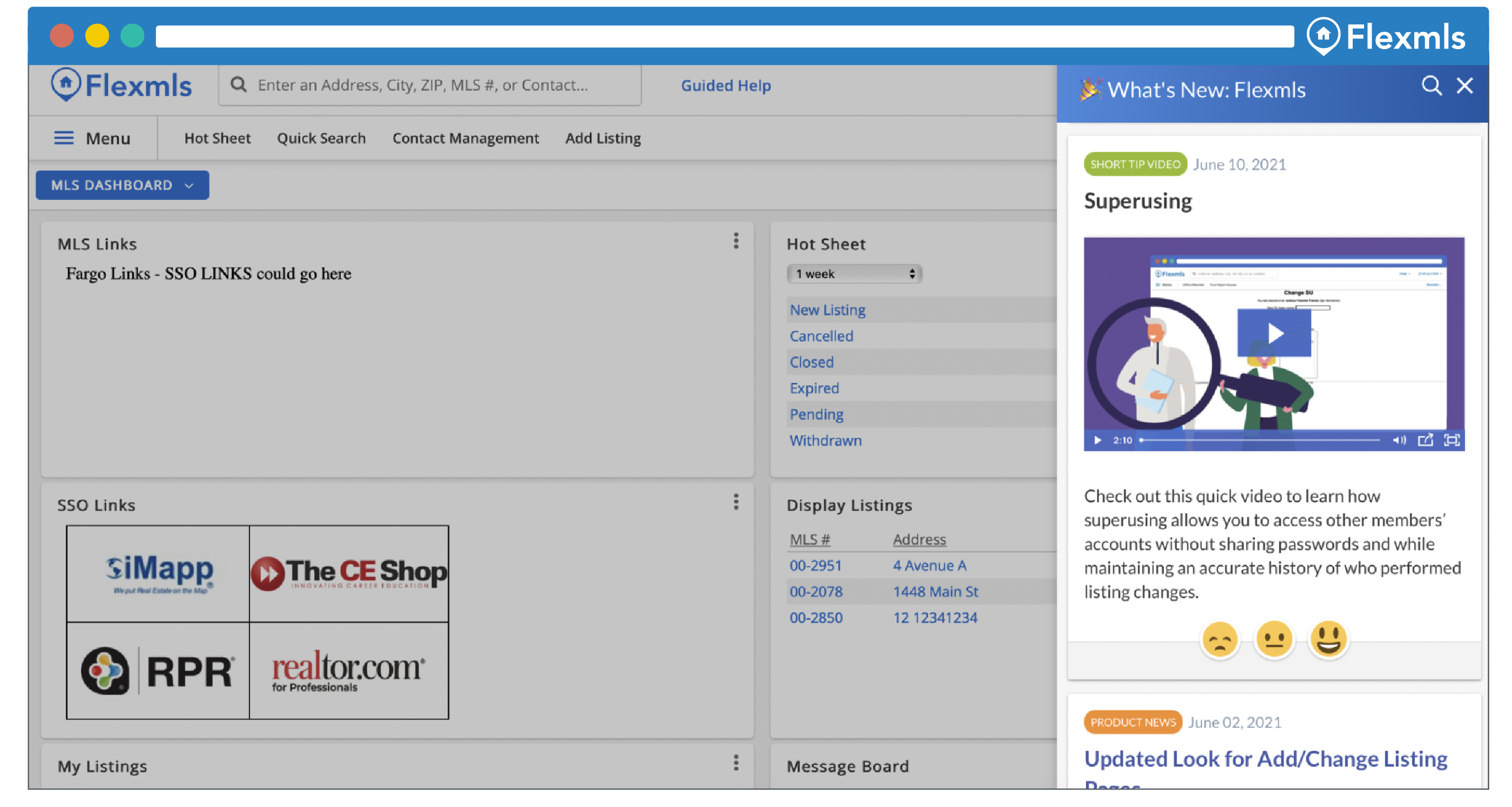
Clicking the bell icon will open a notification center that will show Flexmls news updates in chronological order. Color coded categories tell you if you are looking at product news, a short tip video, or recorded training. Click on any announcement to learn more and leave reactions that give Flexmls instant feedback. You can also use the search bar to revisit older announcements without digging through your email!
Contest Ñ tell me more!
To enter (once the notification center launches on 10/7/21):
- Login to Flexmls and open the notification center
- Find the post titled ÒPssst…YouÕre Looking for MeÓ
- Click the Òsmiley faceÓ to let us know youÕre happy to have fewer emails in your inbox
- Click ÒSubmit Contact InformationÓ and fill out form so we can contact you if youÕre our winner
*Contest closes 10/21/21

