The Flexmls Pro app for iOS is getting a fresh new update, making it easier than ever to search for listings on the go.
What is changing?
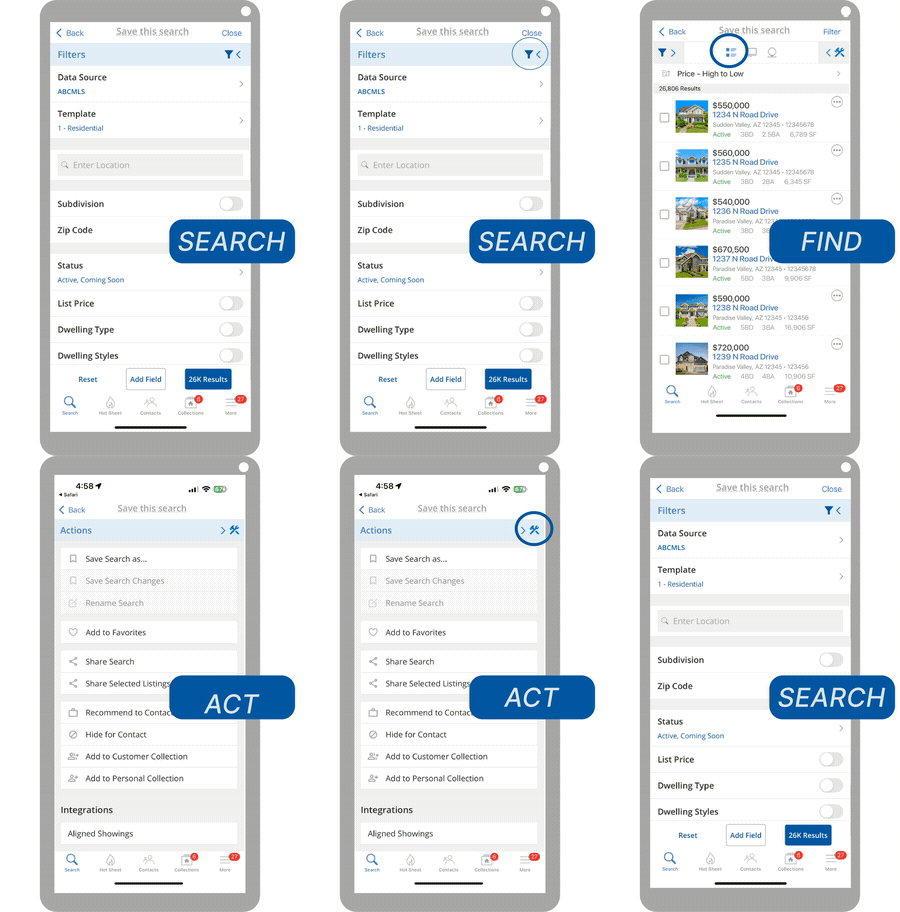
This new search experience brings a familiar workflow from desktop to mobile search, allowing you to search (filter based on specific criteria), find (view search results), and act (share a listing, use third-party integrations, etc.) via expandable and collapsible panels.
When and where is this live?
These updates will be available May 22nd on the Flexmls Pro app for iOS.
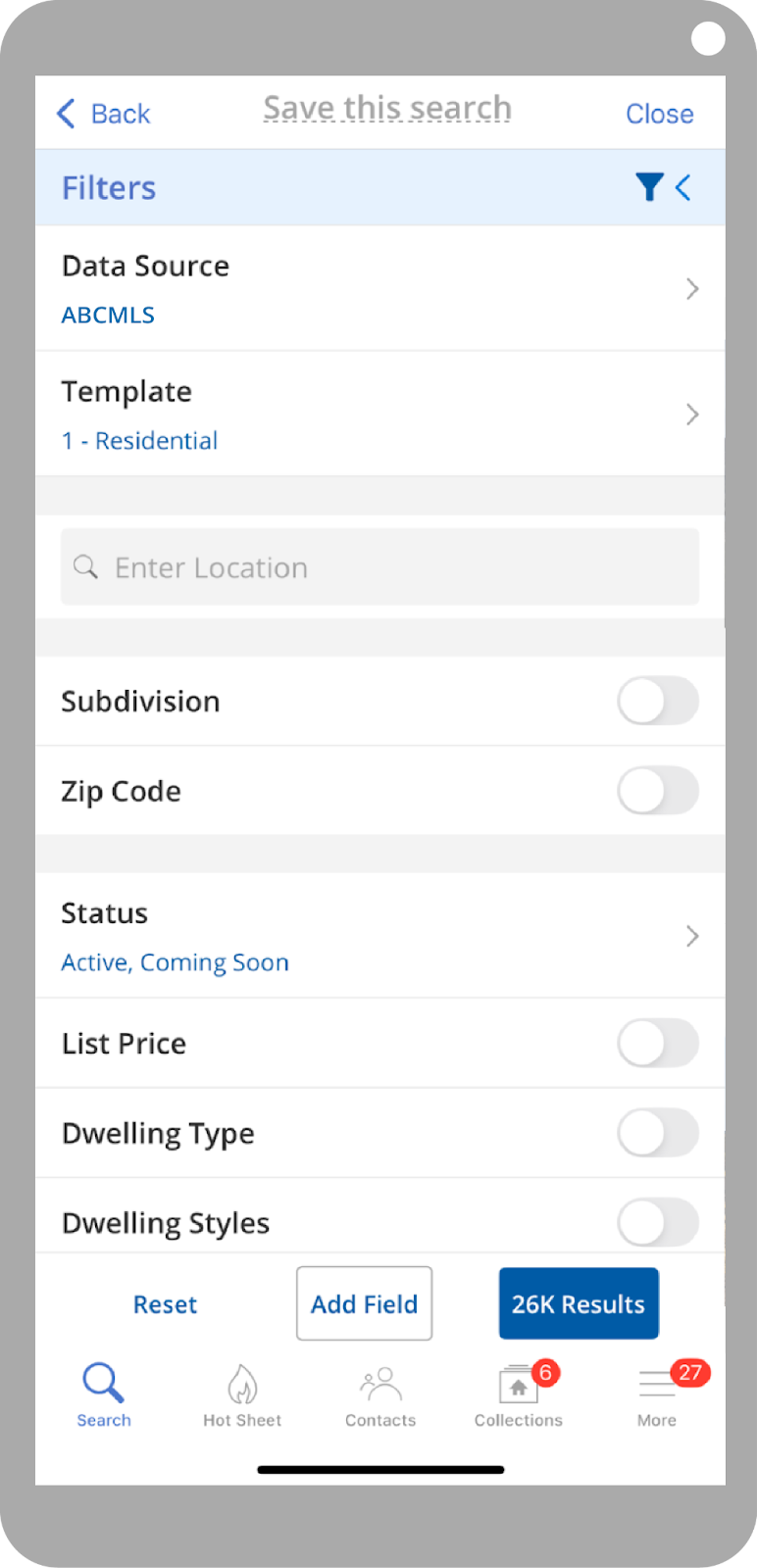
Search
Use the filter panel to specify your search criteria. This is where you can select your search template and customize the fields you want to include in your search. Tap each field to expand and customize it. Tap the filter icon or the search results button at the bottom to see the listings that match your search criteria.
Find
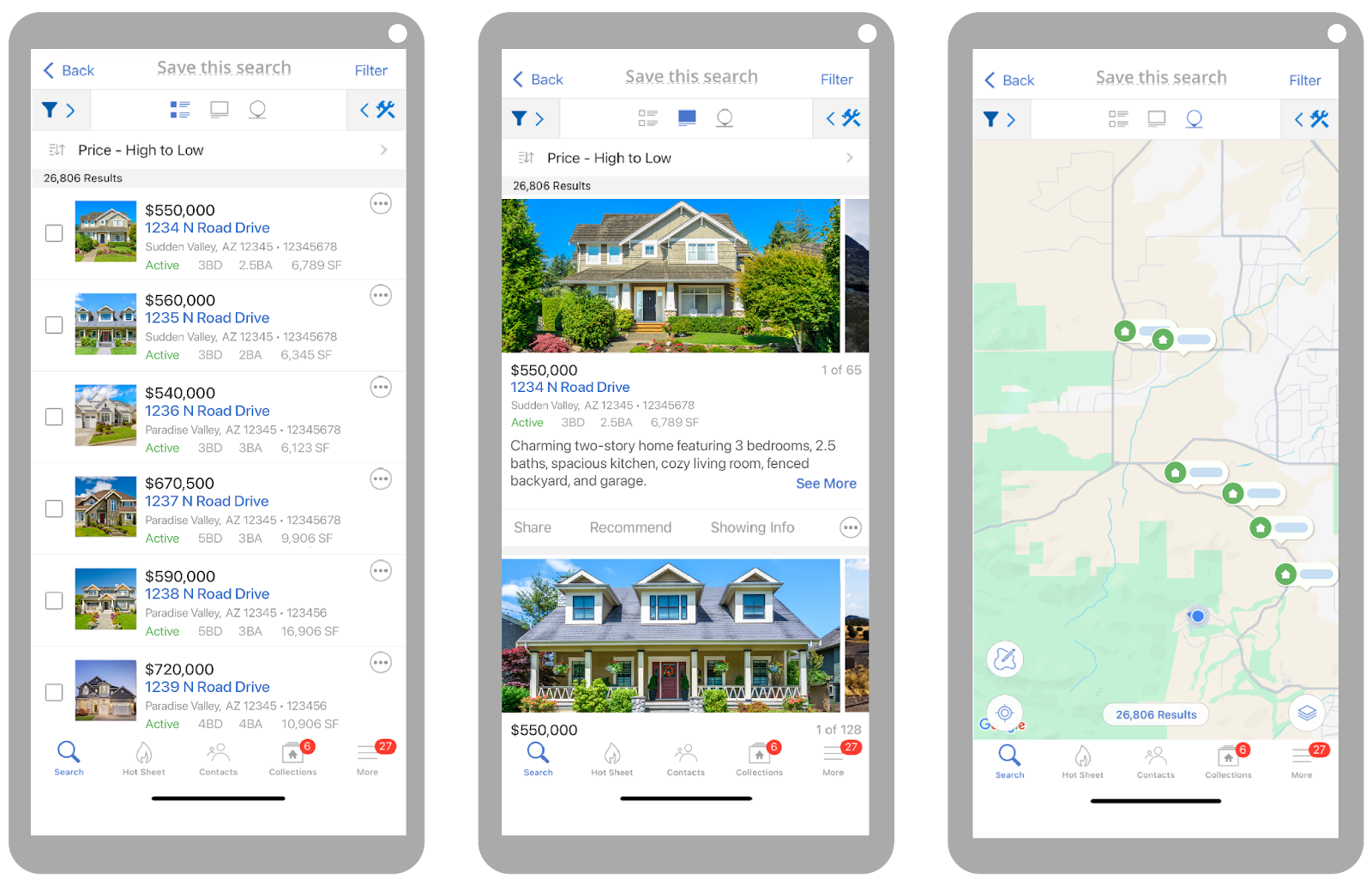
Once you’ve specified your search criteria, you can choose how you want to view your search results. The three buttons at the top center menu bar provide you with different viewing options for your search results. You can use the Summary View for a quick overview of multiple properties, the Gallery View for a more detailed description and a media-centered experience, or the Map View to find listings based on their map location.
If you want to save your search, tap the Save this Search bar and type the name of your search. This will save your search automatically.
Act
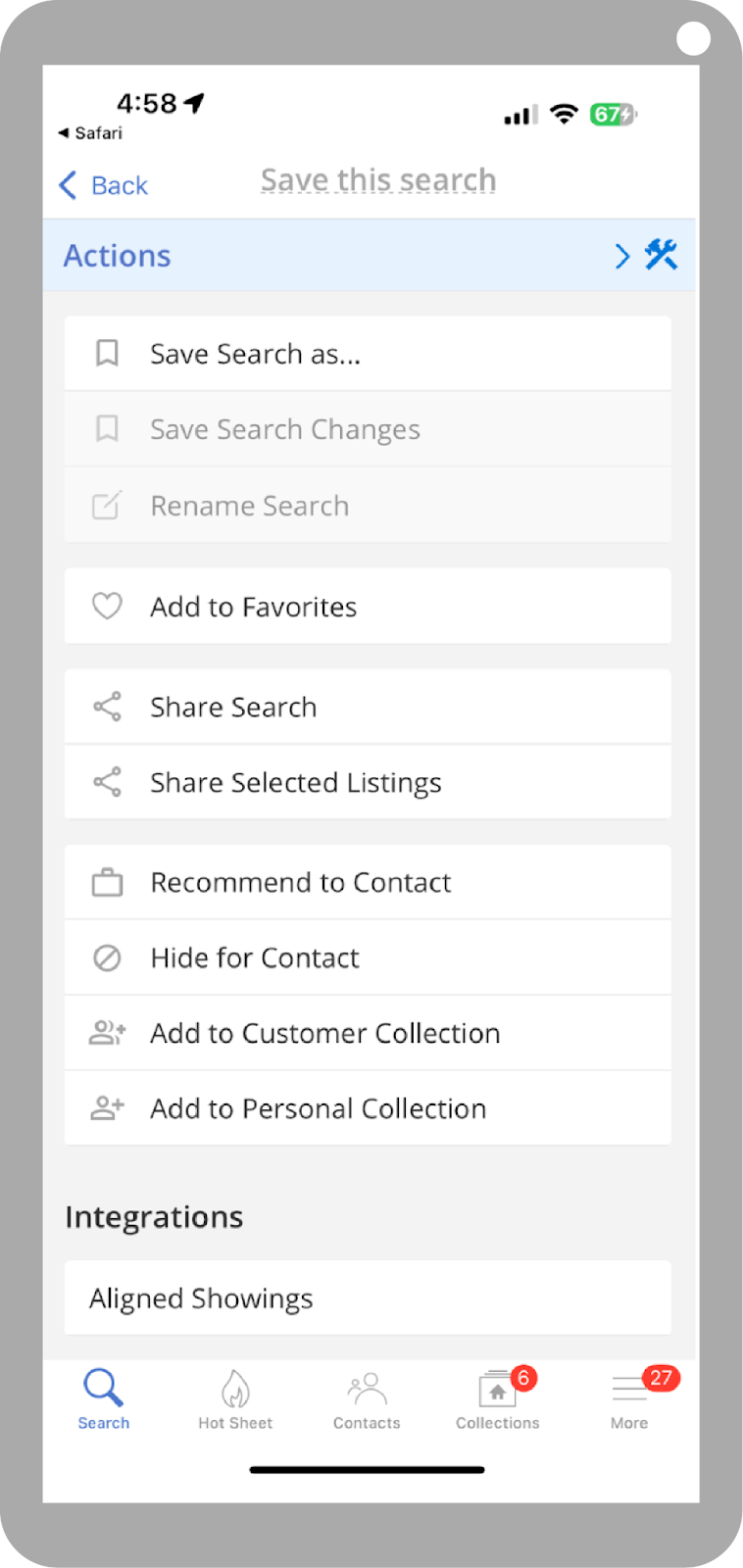
The action panel is where you can take action with your search results. From here, you can share or save searches and work with third-party integrations. You can also share selected listings, hide or recommend a listing to a contact, and more.
Don’t have the iOS app on your phone? Click here to download it.

