What is it?
When you upload a Matterport or iGUIDE virtual tour, we give you the option to use that media data to auto-populate rooms information on your listing. We have made some updates to how that works, so that when you upload a Matterport or iGUIDE virtual tour, you will now see a preview of the Rooms data that was pulled from the virtual tour.
Who gets it?
Participating MLSs.
Why does this matter?
This update allows you to review the data and ensure that it is accurate and meets your expectations before choosing to add it to your Rooms tab, enhancing data reliability and reducing errors.
When is this live?
Available June 12, 2025 in Flexmls.
See how you can take advantage of this feature that makes work easier while also helping improve listing accuracy and minimizing errors:
First, upload a Matterport or iGUIDE virtual tour to the listing the same way as always. For information on adding a virtual tour to a listing, refer to this Flexmls Help article.
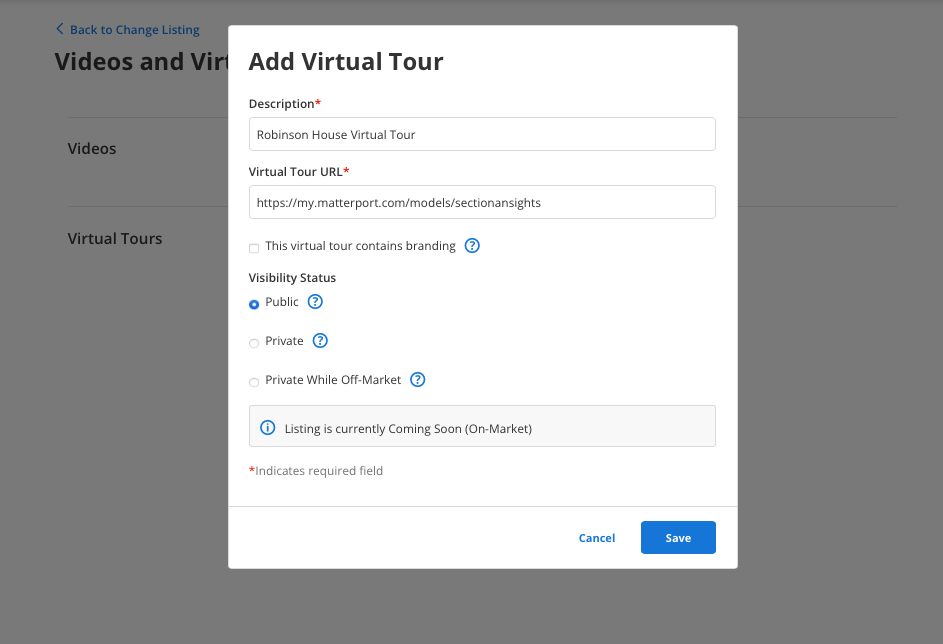
Once a virtual tour has been uploaded, you will see a prompt asking if you would like your Rooms data on your listing to be auto-populated, as well as a preview of the data that will be added to the Rooms section. This data is extracted from the virtual tour through AI property intelligence. Here, you can review the Rooms data that will be populated before choosing to add it to the Rooms section.
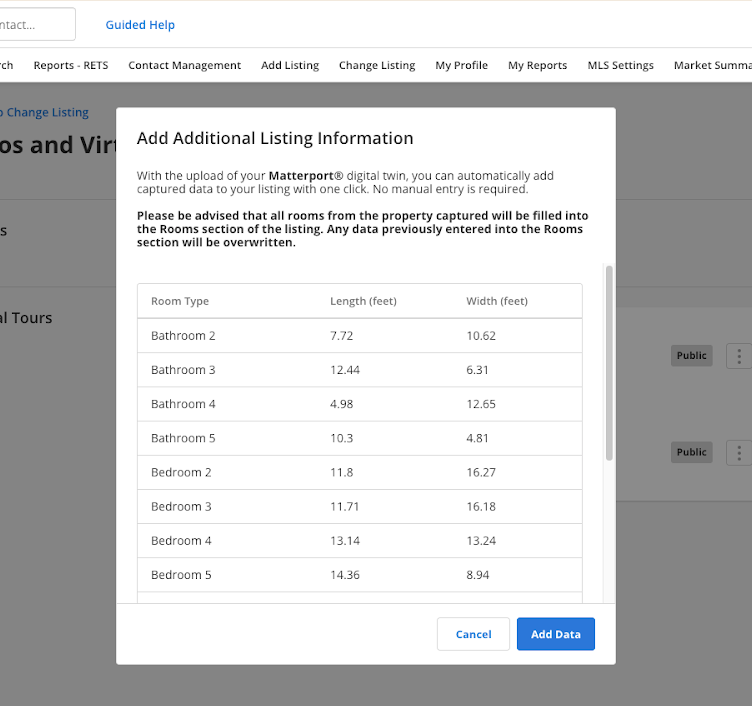
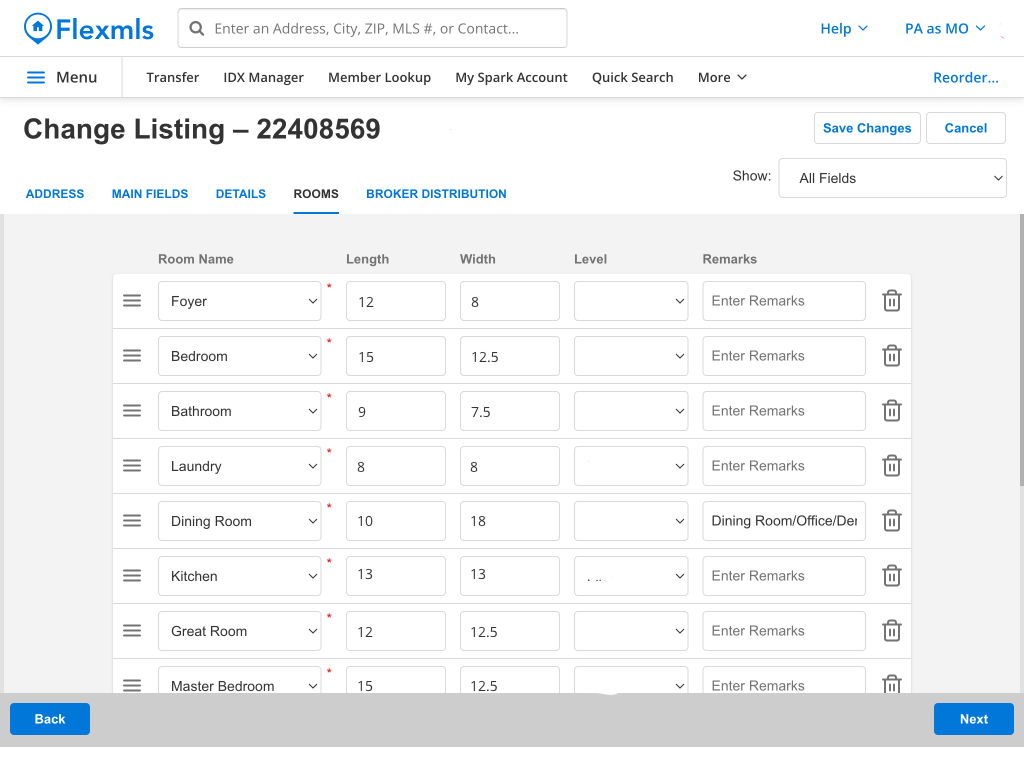
If you select Add Data to have your Rooms data auto-populated from your virtual tour, you will be taken back to the Rooms section to review the data that has now been entered. Any previous Rooms data that had been entered when creating the listing will be overwritten.
Rooms data that will be filled based on the virtual tour can include room name, level, and size. And once the data is populated, you can still change or update any Rooms information.