Starting on October 4th, it will be easier for administrators and assistants to remove incomplete listings on Flexmls Web. Anyone with access to edit a specific incomplete listing will be able to remove the incomplete listing. This will make the process of cleaning up unwanted, incomplete listings more convenient at all levels.
When will it change?
This update will be available on October 4, 2018.
Who will be affected?
Any user who can currently edit incomplete listings on behalf of another user(s), will be able to remove those incomplete listings. This will primarily affect users who can add and edit incomplete listings on behalf of other users that are in their office, company, or MLS.
What will change?
To remove an incomplete listing on behalf of another user, open the Menu to find and select My Incomplete. You will see a list of users and incomplete listings that you have the ability to edit. Select the listing you would like to remove and click the Remove button.
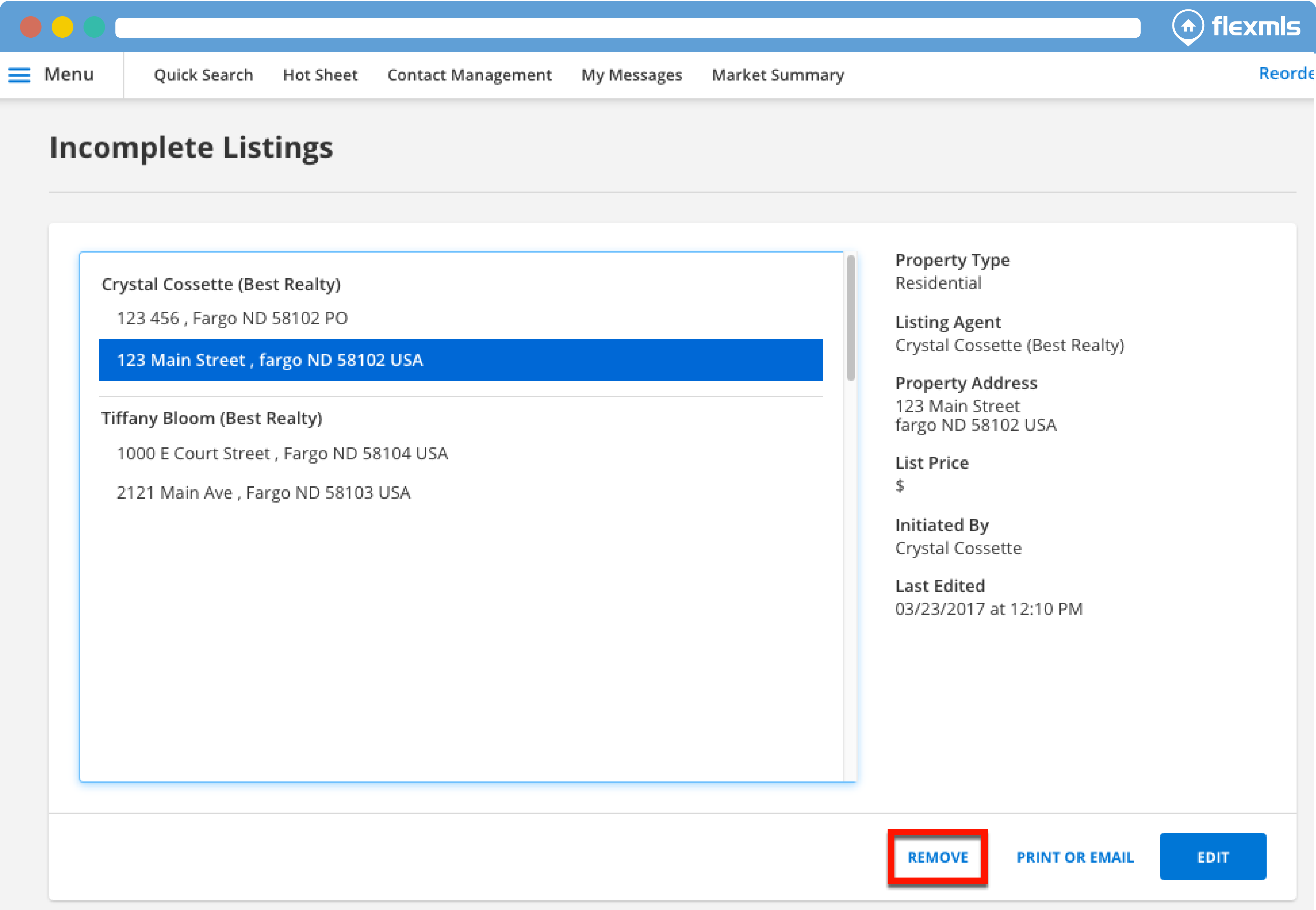
A prompt will appear asking you to click OK to delete the selected listing or Cancel in order to keep it. Click OK to remove the incomplete listing.
Please Note: Once a listing has been removed, it cannot be recovered; so this feature should be used with care.
Why are we making these changes?
This change makes it easier for administrators and staff to manage unneeded, incomplete listings. Currently, only the user who initiates adding a listing has the ability to remove the incomplete listing. This can be inconvenient when that user is not available to remove the incomplete listing, but it is still displaying in the office administratorÕs list of incomplete listings (a situation that can arise when a member leaves an office). Now, it will be easy for Office, Company, and MLS-level administrators to remove such listings.

